Get More Google Reviews for Your Car Rental Service
Car rental customers compare options quickly and choose based on price, vehicle quality, and reviews about the rental experience. Google reviews mentioning clean cars, easy pickup, and honest billing tip the decision in your favor. ProsperQR helps you collect those reviews from every renter.
Trusted by 90,938 business locations worldwide
Why Google Reviews Matter for Your Car Rental Service
Collect Reviews at Vehicle Return
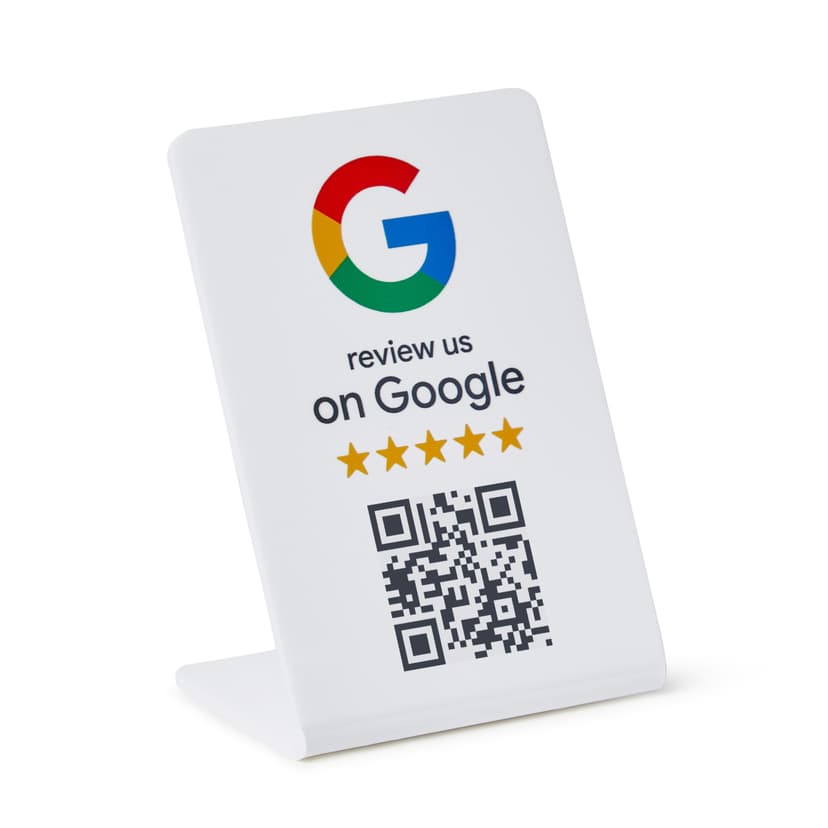
The vehicle return process is a natural touchpoint where customers reflect on their rental experience. A ProsperQR stand at the return desk lets them leave a review while the positive experience is top of mind.
Beat National Chains with Superior Service
Independent car rental services compete with large chains on personal service. Reviews that highlight your clean vehicles, fair pricing, no hidden fees, and friendly staff give you an edge over faceless corporate competitors.
Attract Travelers and Local Renters Through Search
Travelers and locals searching for car rentals check Google reviews before booking. A strong review profile ensures your service appears as a top option alongside the big-name rental companies.
How It Works
Start collecting more reviews in under 60 seconds.
Place the QR Stand
Set up your ProsperQR stand at the rental counter or vehicle return area. It takes less than a minute.
Customers Scan or Tap
Customers scan the QR code or tap with NFC to go directly to your Google review page.
Reviews Come In
Watch your Google rating climb as happy customers leave 5-star reviews on the spot.
Why ProsperQR Works Better
Compare ProsperQR to other ways of collecting Google reviews.
| ProsperQR | Ask verbally | Follow-up emails | Review cards | |
|---|---|---|---|---|
| Asks at peak satisfaction | ||||
| No staff effort required | ||||
| Links directly to Google | ||||
| Works for every customer | ||||
| Collects reviews 24/7 |
Frequently Asked Questions
How does ProsperQR work for car rental services?
Place a ProsperQR stand at the rental counter or vehicle return area. When customers scan the QR code or tap with NFC, they're taken directly to your Google review page. No app downloads, no accounts to create — they leave a review in under 30 seconds.
Where should I place the ProsperQR stand in my car rental service?
The best placement is at the rental counter or vehicle return area — right where customers are most satisfied with your service. You want to catch them at their happiest moment so the review reflects their best experience.
How many more reviews can my car rental service expect?
Results vary, but businesses using ProsperQR typically see a significant increase in their Google reviews within the first month. The key is that you're asking at the right moment — in person, when the customer is happy. Customers are 87% more likely to leave a review when asked in person.
How long does setup take?
Less than 60 seconds. Just connect your Google Business Profile, and your ProsperQR stand is ready to go. No technical knowledge required — if you can scan a QR code, you can set it up.
Does ProsperQR work with Google Business Profile?
Yes. ProsperQR connects directly to your Google Business Profile. Every review collected goes straight to your Google listing, boosting your rating and your rank on Google.
What if a customer wants to leave a negative review?
ProsperQR links directly to Google — all reviews are authentic. However, asking in person at the point of satisfaction means happy customers are far more likely to leave a review. Plus, ProsperQR includes review monitoring and AI-written auto-replies to help you respond to every review professionally.

Start collecting reviews in less than 60 seconds
Get real results fast. More reviews, more customers, more sales.
Get Started