Get More Google Reviews for Your Auto Painting Shop
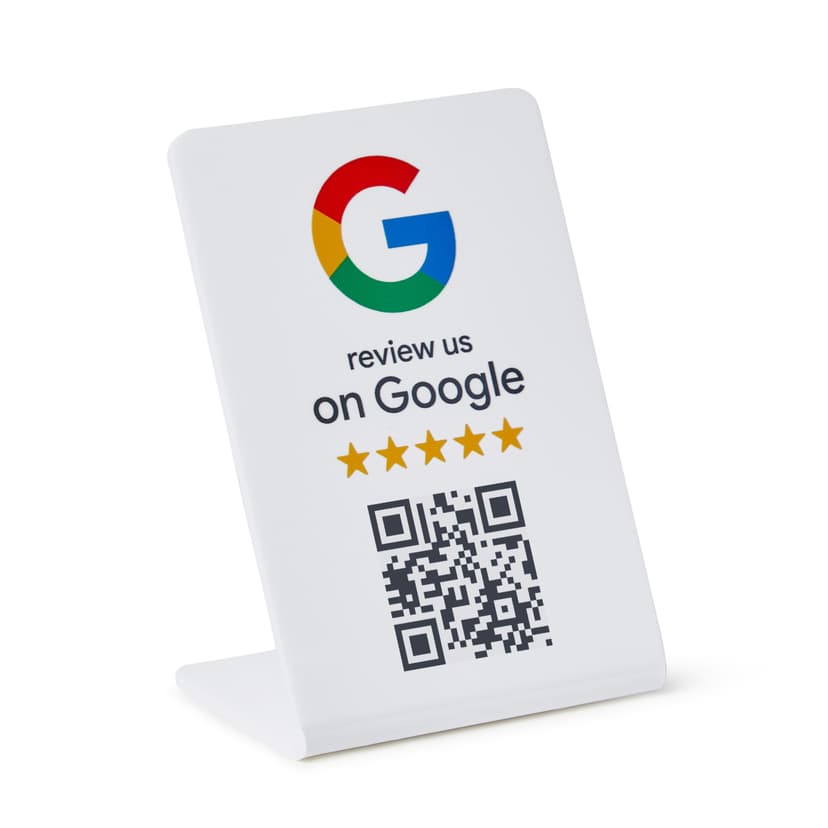
A quality paint job transforms a vehicle, and customers want to know their car is in expert hands. Google reviews showcasing flawless color matching, smooth finishes, and careful prep work bring car owners and collision repair customers to your shop. ProsperQR helps you capture those reviews.
Trusted by 90,933 business locations worldwide
Real Results from Real Auto Paintings
5 auto paintings using ProsperQR
Explore the interactive map to see actual auto paintings using ProsperQR to get more reviews.
12 days
Average time to first scan after signup
29%
Average review increase
67
New reviews gained by auto paintings on ProsperQR
Real 5-Star Reviews for Auto Paintings
These are actual Google reviews collected by auto paintings using ProsperQR.
The best buying car experience, they were honest with me and they even let me use there lift to inspect the car! The sell man Aj was really cool !

jonny c
A A
Today
My husband has a Jeep Gladiator. Since we purchased it I’ve wanted a Wrangler, even though I drive a lot for work. I went from a 19 hybrid Accord (which I absolutely loved) to a 26 Wrangler. Instant love from test drive. We first visited this dealer to get Corrosion Warranty work done on the Gladiator. We do not live local and no dealers in our area would help get this warranty paint work done, or send us in any kind of direction for help. After that service experience, we knew we’d be back to make our next purchase. Purchasing the Wrangler at New Carlisle CDJR was the easiest car shopping experience we have ever had. No pushing to run number until I test drove and was happy with the vehicle. Billie is incredibly sweet, friendly and very accommodating. Mitchell did the financing paperwork and is also extremely friendly and was thorough when explaining warranties etc. I love that this dealer is family owned. We will never purchase a vehicle anywhere else! I have not yet encountered service on the Wrangler but I hope it’s as smooth and accommodating as the Wrangler purchase and Gladiator service was. Thank you!

Amanda C
N C C J D R - T A G
1 day ago
Great shop, would recommend anyone to go here. Especially if you own a nicer car and want it in good hands. Thank you for the excellent work!

Olga Kliapko
D A S
1 day ago
10/10 shop, the only place right now I trust to take my car. Very professional and experienced crew. Hard to find a place like this.

Austin K
D A S
1 day ago
Great job! Very knowledgeable, and will do all the work necessary to get your car up and running for a long time! Honest, and good prices. 10/10 recommend

Dan Tcacenco
D A S
2 days ago
Very good service and Expert advice and qualified Highly recommend

assad Elrayah
A A S
3 days ago
Awesome Service. Thanks guys

saad hassan
A A S
4 days ago
Excellent service! Very high-quality work, everything was done quickly and professionally. The mechanic really knows what he’s doing, explained everything clearly, and found the cause of the problem.

Rosty Cheliuk
D A S
4 days ago
Thank you Luis great service

156whitson Whitson
A A S
5 days ago
A trustworthy mechanic and shop is worth their weight in gold. ADS is just that. They take my self-diagnosed car problem that would cost thousands and tell me the real problem is only a couple hundred. Ask for Joe.

Justin Miller
A A
7 days ago
Thank you Luis he was very professional professional and was able to help me out with my car and had answers to all my questions! Definitely will be back if I have any more problems!

Justin Worrick
A A S
8 days ago
(Translated by Google) Thanks Luis (Original) Gracias luis

Blanca Moreno
A A S
8 days ago
went the extra mile to get the job done

Julia Aldrich
A A
9 days ago
I’ve had several of my cars serviced here, and these guys are awesome! They’re honest, professional, and always do a great job. Great service every time. I highly recommend them and will definitely be back!

ART S
D A S
12 days ago
Thank you Ramy for your help I will definitely come back very good service and hospitality

Hisham Salih
A A S
13 days ago
ADS staff were so inviting & helpful & they did excellent work on my car!

Donna Roos
A A
22 days ago
This guy is wonderful my car looked as it had never been in an accident. He kept ne updated I felt respected as customers should thanks Adam

Jackitra Taylor
O S C S
24 days ago
I had a great experience bringing my cars to Dima, from my GT3RS to my Audi S8. He does an amazing job in a very short amount of time and beats everyone on price. All his work is very detailed and always clean. Additionally, he is very honest with his work, will explain everything, and takes accountability for any mistakes made on his end. 10/10!

Max Korolchuk
D A S
24 days ago
I always go to these guys they change my oil and fix all I need, fast, take care of all they see that needs to be fixed . Good price too ! Top recommended!

Oksana Sh
D A S
29 days ago
This body shop is the best! We have used them several times along with our family members. They always do a great job. Would highly recommend! Staff is also excellent and great communication.

jade
F A A V
29 days ago
Ready to grow your auto painting's Google reviews?
Join 15,000+ business locations using ProsperQR to collect more 5-star reviews.
Why Google Reviews Matter for Your Auto Painting
Get Reviews When Customers See Their New Paint
The reveal of a freshly painted vehicle is a moment of pure admiration. A ProsperQR stand at your pickup area lets customers leave a review while they are marveling at the flawless finish.
Showcase Your Color-Matching and Finish Quality
Auto painting requires precision that customers cannot evaluate until the job is done. Reviews describing perfect color matches, smooth clear coats, and attention to detail prove your craftsmanship to prospective customers.
Attract Collision Repair and Custom Paint Customers
A strong Google review profile brings both insurance-referred collision work and custom paint jobs to your shop. Reviews covering both types of work expand your customer base and fill your paint booth.
How It Works
Start collecting more reviews in under 60 seconds.
Place the QR Stand
Set up your ProsperQR stand at the front desk or vehicle reveal area. It takes less than a minute.
Customers Scan or Tap
Customers scan the QR code or tap with NFC to go directly to your Google review page.
Reviews Come In
Watch your Google rating climb as happy customers leave 5-star reviews on the spot.
Why ProsperQR Works Better
Compare ProsperQR to other ways of collecting Google reviews.
| ProsperQR | Ask verbally | Follow-up emails | Review cards | |
|---|---|---|---|---|
| Asks at peak satisfaction | ||||
| No staff effort required | ||||
| Links directly to Google | ||||
| Works for every customer | ||||
| Collects reviews 24/7 |
Frequently Asked Questions
How does ProsperQR work for auto paintings?
Place a ProsperQR stand at the front desk or vehicle reveal area. When customers scan the QR code or tap with NFC, they're taken directly to your Google review page. No app downloads, no accounts to create — they leave a review in under 30 seconds.
Where should I place the ProsperQR stand in my auto painting?
The best placement is at the front desk or vehicle reveal area — right where customers are most satisfied with your service. You want to catch them at their happiest moment so the review reflects their best experience.
How many more reviews can my auto painting expect?
Results vary, but businesses using ProsperQR typically see a significant increase in their Google reviews within the first month. The key is that you're asking at the right moment — in person, when the customer is happy. Customers are 87% more likely to leave a review when asked in person.
How long does setup take?
Less than 60 seconds. Just connect your Google Business Profile, and your ProsperQR stand is ready to go. No technical knowledge required — if you can scan a QR code, you can set it up.
Does ProsperQR work with Google Business Profile?
Yes. ProsperQR connects directly to your Google Business Profile. Every review collected goes straight to your Google listing, boosting your rating and your rank on Google.
What if a customer wants to leave a negative review?
ProsperQR links directly to Google — all reviews are authentic. However, asking in person at the point of satisfaction means happy customers are far more likely to leave a review. Plus, ProsperQR includes review monitoring and AI-written auto-replies to help you respond to every review professionally.

Start collecting reviews in less than 60 seconds
Get real results fast. More reviews, more customers, more sales.
Get Started