Get More Google Reviews for Your Financial Planning Practice
People entrust financial planners with their retirement, savings, and their family's future. Google reviews from satisfied clients are the most powerful way to demonstrate that trust is well placed. ProsperQR helps you collect reviews after milestone meetings where clients see their wealth growing.
Trusted by 90,933 business locations worldwide
Real Results from Real Financial Planners
5 financial planners using ProsperQR
Explore the interactive map to see actual financial planners using ProsperQR to get more reviews.
12 days
Average time to first scan after signup
19%
Average review increase
27
New reviews gained by financial planners on ProsperQR
Real 5-Star Reviews for Financial Planners
These are actual Google reviews collected by financial planners using ProsperQR.
Everyone is very kind and goes above and beyond what is asked of them! They are all very knowledgeable, the receptionist is very nice and easy to talk to! Greets you as soon as you arrive!

Karstin Duckworth
S F
2 days ago
Nathan Graff is very knowledgeable about finances, retirement planning, investing, and trusts. He explains things clearly and was willing to spend time to make sure we were comfortable with our knowledge of retirement planning. He carefully reviewed the status of our retirement financial planning and the trajectory of where we would likely be at the time we retire. This gave us confidence in our situation but also helped us understand ways to make our retirement more financially secure. He carefully explained the values of a trust and helped us prepare ours. Additionally, we completed our advance directives and an updated will. It was convenient and helpful to do all of this estate planning in one place. He explained the various investment portfolios managed by NW Financial and gave us confidence in the one we chose. We highly recommend NW Financial Services for clear and confident decisions in retirement planning.

James
N F G L
5 days ago
We have been very satisfied with the service and direction offered by Northwest Financial Group for over 10 years.

Terry DeJongh
N F G L
6 days ago
Elizabeth was a great listener. Gave good financial advice.

Twyla Snow
N F G L
24 days ago
Top notch team! Katie McLeod and her team are absolutely the best!

Michelle Ericson
N F G L
25 days ago
We had a meeting yesterday and left feeling very comfortable with our plan going forward. Travis sent us the summary of our meeting this morning so we have a hard copy for our files. I am so glad we made the decision years ago to trust our future to the team at Northwest Financial - they have been fantastic!

Kim Hoover
N F G L
1 month ago
Working with Travis for the last 10 years has been an absolute pleasure. He has provided financial insight that has helped me to plan an early and comfortable retirement. All of my interactions with the staff have been very enjoyable. I would not hesitate to recommend Travis and NW Financial.

Matt Vosburg
N F G L
1 month ago
Everyone in this office is super helpful, knowledgeable, and totally friendly

John Caster
N F G L
1 month ago
My wife and I have been doing business with Travis and the Northwest Financial Group for some time and my parents did business with Travis’s father. Family owned and operated with a very professional staff. I would recommend this business for your financial planning and investment management. Well respected and trustworthy. They always make us feel at home and are very responsive to any questions we may have. Northwest Financial Group comes highly recommended. Phil and Tracey Maddux.

Phil Maddux
N F G L
1 month ago
Lisa & Kevin are an outstanding team! Their knowledge, honesty, and genuine care for their clients truly set them apart. They take the time to understand your goals, explain your options without any pressure, and create a plan that gives you confidence about your financial future. Whether you're just getting started or planning for retirement, they make the process simple and easy to understand. If you're looking for financial advisors who are trustworthy, responsive, and truly invested in your success, I can't recommend Lisa & Kevin enough! Give Rockwood Stone Wealth Management LLC a call, your future self will thank you for it!

Karla Blanco
R S W M L
2 months ago
Nate is doing a great job guiding us to a solid plan for budgeting and saving.

David Scranage
N F G L
4 months ago
Northwest Financial is hands down the best place to go for investment and retirement planning. We have worked with Nathan Graff for years and he is amazing, and his partners and support staff are great. Their knowledge and capabilities makes a world of difference.

John Winckler
N F G L
4 months ago
Lisa & Kevin are so awesome! They are excellent at their job as Financial Advisors ! They explain everything clearly, they listen & care about their clients, enjoy their friendly office atmosphere with espresso coffee plus enjoy meeting with them each and every time!! 😃

Carol Claassen
R S W M L
5 months ago
Always a great experience with Rockwood ! Very up to date on financial advice! Friendly environment!

Howard Claassen
R S W M L
5 months ago
Rockwood is the only place I recommend and we personally use. I've known Lisa and Kevin for years and their dedication to their clients and industry is unmatched. Lisa has been there for us during high times and low times and has treated us with kindness, dignity and has always lead us in the right direction no matter the circumstances...I absolutely recommend to anyone who is needing guidance in this arena!! Thank you Lisa and Kevin! You guys are the best!

Gina Lee
R S W M L
5 months ago
You alway make us undress what going on and if I'm panicking, you alway have answers. I really love having you and Kevin as our advisors. We appreciate Mary and love your space.

Melissa Neiers
R S W M L
5 months ago
Wonderful service, extremely professional!!

Anita Barfoot
R S W M L
5 months ago
We have been with Rockwood Stone for a long time. They have been great for us. Always friendly and professional. They have solid advise and thorough recommendations.

Bob Swihart
R S W M L
5 months ago
⭐⭐⭐⭐⭐ Rockwood Stone Wealth is truly exceptional. Kevin and Lisa make an incredible team. From the very first conversation, they were professional, knowledgeable, and genuinely welcoming. They took the time to understand my goals, answer every question, and explain everything clearly in a way that made me feel confident and informed. What really sets Kevin and Lisa apart is how much they truly care about the people they work with. I never felt like just another client - I felt valued, respected, and supported every step of the way. Their guidance has given me real peace of mind and helped me feel much more secure about my financial future. If you’re looking for trustworthy, experienced, and caring professionals, I highly recommend Rockwood Stone Wealth. Kevin and Lisa go above and beyond, and the entire experience has been absolutely 5-star!

Kayley Jordan
R S W M L
5 months ago
Wonderful folks. Everything is explained in a way that it's easy to understand. Questions are answered thoroughly.

Mickey McIntosh
R S W M L
5 months ago
Ready to grow your financial planner's Google reviews?
Join 15,000+ business locations using ProsperQR to collect more 5-star reviews.
Why Google Reviews Matter for Your Financial Planner
Ask After Milestone Achievements
Your client just hit a savings goal, retired comfortably, or saw their portfolio outperform expectations. Present the review stand during that celebration meeting when their confidence in you is absolute.
Build Credibility in a Crowded Market
Financial planning is a competitive field with many options. Detailed reviews about your personalized approach, transparent fees, and long-term results help you stand out from robo-advisors and generalists.
Attract Clients at Every Life Stage
Reviews from young professionals, families, and retirees show prospective clients that you have experience with their specific situation. A diverse review portfolio broadens your appeal across demographics.
How It Works
Start collecting more reviews in under 60 seconds.
Place the QR Stand
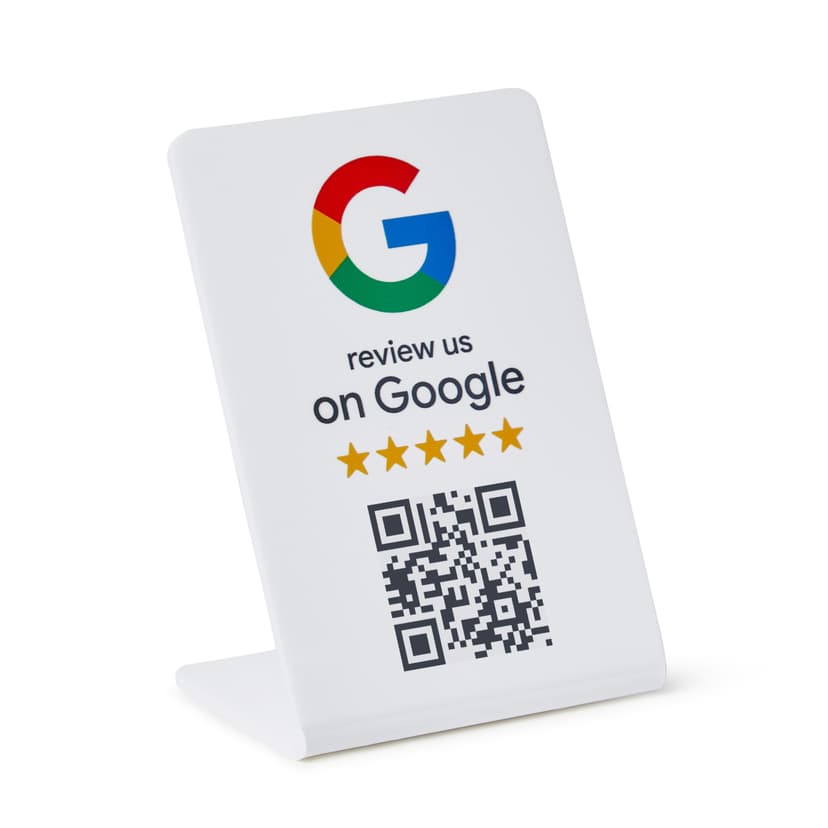
Set up your ProsperQR stand on the desk in the office where financial review meetings take place. It takes less than a minute.
Customers Scan or Tap
Customers scan the QR code or tap with NFC to go directly to your Google review page.
Reviews Come In
Watch your Google rating climb as happy customers leave 5-star reviews on the spot.
Why ProsperQR Works Better
Compare ProsperQR to other ways of collecting Google reviews.
| ProsperQR | Ask verbally | Follow-up emails | Review cards | |
|---|---|---|---|---|
| Asks at peak satisfaction | ||||
| No staff effort required | ||||
| Links directly to Google | ||||
| Works for every customer | ||||
| Collects reviews 24/7 |
Frequently Asked Questions
How does ProsperQR work for financial planners?
Place a ProsperQR stand on the desk in the office where financial review meetings take place. When customers scan the QR code or tap with NFC, they're taken directly to your Google review page. No app downloads, no accounts to create — they leave a review in under 30 seconds.
Where should I place the ProsperQR stand in my financial planner?
The best placement is on the desk in the office where financial review meetings take place — right where customers are most satisfied with your service. You want to catch them at their happiest moment so the review reflects their best experience.
How many more reviews can my financial planner expect?
Results vary, but businesses using ProsperQR typically see a significant increase in their Google reviews within the first month. The key is that you're asking at the right moment — in person, when the customer is happy. Customers are 87% more likely to leave a review when asked in person.
How long does setup take?
Less than 60 seconds. Just connect your Google Business Profile, and your ProsperQR stand is ready to go. No technical knowledge required — if you can scan a QR code, you can set it up.
Does ProsperQR work with Google Business Profile?
Yes. ProsperQR connects directly to your Google Business Profile. Every review collected goes straight to your Google listing, boosting your rating and your rank on Google.
What if a customer wants to leave a negative review?
ProsperQR links directly to Google — all reviews are authentic. However, asking in person at the point of satisfaction means happy customers are far more likely to leave a review. Plus, ProsperQR includes review monitoring and AI-written auto-replies to help you respond to every review professionally.

Start collecting reviews in less than 60 seconds
Get real results fast. More reviews, more customers, more sales.
Get Started