Get More Google Reviews for Your Bail Bonds Business
When a loved one is in jail, families search for a bail bondsman they can trust during an incredibly stressful time. Google reviews that mention fast response, compassionate service, and clear communication make all the difference. ProsperQR helps you collect reviews after you've helped a family through their crisis.
Trusted by 90,936 business locations worldwide
Real Results from Real Bail Bonds Services
2 bail bonds services using ProsperQR
Explore the interactive map to see actual bail bonds services using ProsperQR to get more reviews.
12 days
Average time to first scan after signup
4%
Average review increase
15
New reviews gained by bail bonds services on ProsperQR
Real 5-Star Reviews for Bail Bonds Services
These are actual Google reviews collected by bail bonds services using ProsperQR.
I needed to bail out a friend, this bondsman was absolutely amazing. He took the time to explain what exactly was going to happen, where I need to go, and when. He made a stressful situation feel not so stressful. You would hope you would never have to need a bondsman at 1 am but if you do he is the one to call 24/7 Anytime.

Kandy Green
2 A B B - V B - I R C
Today
I can’t say enough wonderful things about Jack! I was feeling completely lost, overwhelmed and frustrated after dealing with another bail bonds company that treated me so poorly. From the moment I spoke with Jack, everything changed. He was incredibly helpful, patient, kind and understanding. He took the time to explain everything clearly, answered all of my questions and made what was an extremely stressful situation feel so much more manageable. I never felt judged or rushed and I truly felt like he cared about helping me. Jack went above and beyond and I’m incredibly grateful for his help. If you’re in a difficult situation and need someone who is knowledgeable, compassionate and genuinely willing to help, I would absolutely recommend Jack. He was a breath of fresh air after such a frustrating experience elsewhere. Thank you so much, Jack, for making a stressful situation so much easier! You were absolutely wonderful! 🙏⭐⭐⭐⭐⭐

Mandy Shepherd
2 A B B - V B - I R C
3 days ago
Francis was just wonderful. Very professional and to the point.

a montgomery
O R B B
4 days ago
Very informative

Kristy lopez
O R B B
17 days ago
Just to start this company was the first person I called late at night. Owner answered phone, immediately looked for answers for us, met us to do the paper work. He also went and showed us where to go and what the process was going to be. Your work ethics are amazing and most importantly not judging but guiding us of the steps that is going to happen. Best bondsman by far in VERO BEACH.

Robert Marks
2 A B B - V B - I R C
1 month ago
It's amazing.support system. It's really nice do you have someone be so thorough explain everything that's going on? And beyond. He even went to show me where to pick up my loved one and what to expect.

Josee Marino
2 A B B - V B - I R C
1 month ago
Jack is professional, quick, and super helpful. He made the process simple and he’s right around the corner from the jail so he turned the paperwork in right away. Thank you!

Stephanie Compton
2 A B B - V B - I R C
2 months ago
Mr. Jack was very kind to explain to process with me. Took his time. Walked me through it all, he even took me where to pick up my friend once he got out. Will 100% recommend his services to my family and friends. Would like to mention he wasn’t rude at all. He is very kind and has a lovely personality, easy to work with.

Yoongi Min
2 A B B - V B - I R C
2 months ago
Jack helped me bail out my mom and he was very informative, kind, and efficient. Would recommend

Paula Araceli
2 A B B - V B - I R C
3 months ago
This is one of the best bondsman I have ever used, he is quick and efficient and I was able to get my sister out in less than 20 minutes. I would recommend him to absolutely anyone and everyone in Indian River County.! he called me to make sure I was still coming to see him. He made the process super easy. I don't think I can say enough good things about this bondsman.

nikki nik
2 A B B - V B - I R C
3 months ago
He is understandable and patient with everything and fast at what he do

Wisleen Jean
2 A B B - V B - I R C
3 months ago
Best bondsman love him he was fast nice and good at his job

Bukk Baby
2 A B B - V B - I R C
3 months ago
VERY AWESOME ND FAST❤️

Bosslady Leonard
2 A B B - V B - I R C
3 months ago
Jack was very professional, sincere, he passed no judgement. Answered all questions and educated me on the process. Look at all his reviews… it’s solely him and he gets the job done.

Liz Walker
2 A B B - V B - I R C
4 months ago
Ready to grow your bail bonds service's Google reviews?
Join 15,000+ business locations using ProsperQR to collect more 5-star reviews.
Why Google Reviews Matter for Your Bail Bonds Service
Turn Crisis Resolution into Reviews
You just helped reunite a family during one of the hardest moments of their lives. Their gratitude is genuine and deep—hand them the review stand and let that appreciation become your next client's reassurance.
Build Trust in a Sensitive Industry
Bail bonds clients are often dealing with the legal system for the first time. Reviews that describe your patience, transparency about fees, and 24/7 availability help new clients feel safe choosing you.
Be the First Result at 2 AM
Arrests don't happen during business hours. A highly reviewed profile ensures that when someone searches for a bail bondsman at 2 AM, your business is the first one they see and trust enough to call.
How It Works
Start collecting more reviews in under 60 seconds.
Place the QR Stand
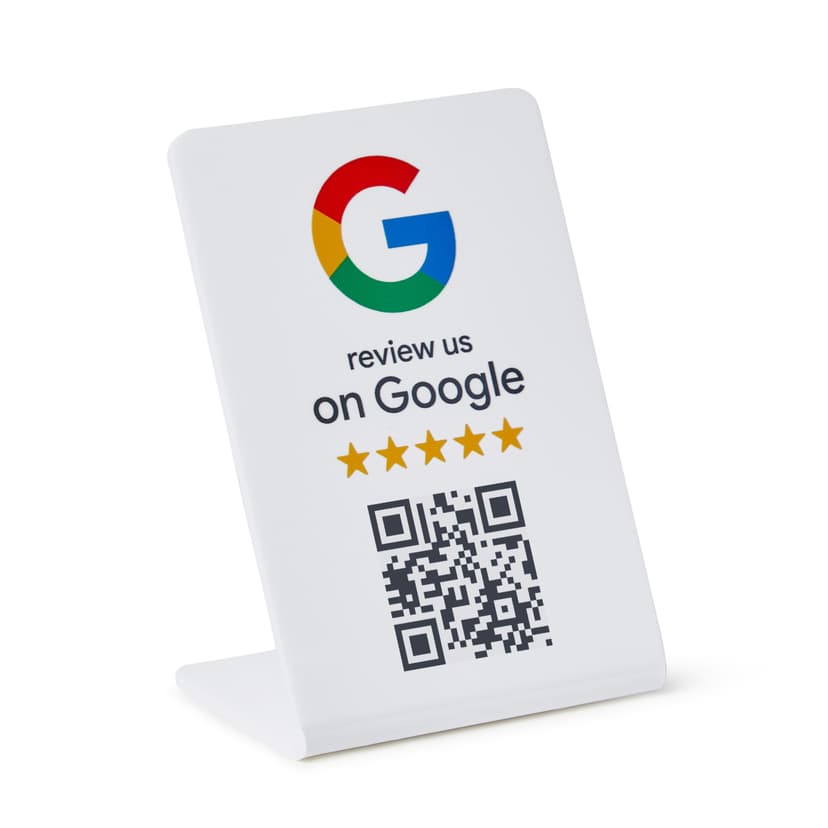
Set up your ProsperQR stand on the counter or desk where clients complete their bail paperwork. It takes less than a minute.
Customers Scan or Tap
Customers scan the QR code or tap with NFC to go directly to your Google review page.
Reviews Come In
Watch your Google rating climb as happy customers leave 5-star reviews on the spot.
Why ProsperQR Works Better
Compare ProsperQR to other ways of collecting Google reviews.
| ProsperQR | Ask verbally | Follow-up emails | Review cards | |
|---|---|---|---|---|
| Asks at peak satisfaction | ||||
| No staff effort required | ||||
| Links directly to Google | ||||
| Works for every customer | ||||
| Collects reviews 24/7 |
Frequently Asked Questions
How does ProsperQR work for bail bonds services?
Place a ProsperQR stand on the counter or desk where clients complete their bail paperwork. When customers scan the QR code or tap with NFC, they're taken directly to your Google review page. No app downloads, no accounts to create — they leave a review in under 30 seconds.
Where should I place the ProsperQR stand in my bail bonds service?
The best placement is on the counter or desk where clients complete their bail paperwork — right where customers are most satisfied with your service. You want to catch them at their happiest moment so the review reflects their best experience.
How many more reviews can my bail bonds service expect?
Results vary, but businesses using ProsperQR typically see a significant increase in their Google reviews within the first month. The key is that you're asking at the right moment — in person, when the customer is happy. Customers are 87% more likely to leave a review when asked in person.
How long does setup take?
Less than 60 seconds. Just connect your Google Business Profile, and your ProsperQR stand is ready to go. No technical knowledge required — if you can scan a QR code, you can set it up.
Does ProsperQR work with Google Business Profile?
Yes. ProsperQR connects directly to your Google Business Profile. Every review collected goes straight to your Google listing, boosting your rating and your rank on Google.
What if a customer wants to leave a negative review?
ProsperQR links directly to Google — all reviews are authentic. However, asking in person at the point of satisfaction means happy customers are far more likely to leave a review. Plus, ProsperQR includes review monitoring and AI-written auto-replies to help you respond to every review professionally.

Start collecting reviews in less than 60 seconds
Get real results fast. More reviews, more customers, more sales.
Get Started