Get More Google Reviews for Your Bank Branch
Community banks and local branches compete for customers who value personal service over faceless corporate banking. Google reviews highlighting friendly staff, convenient services, and helpful financial guidance set your branch apart. ProsperQR helps you collect reviews after positive interactions at the teller window or during consultations.
Trusted by 90,933 business locations worldwide
Real Results from Real Banks
1 bank using ProsperQR
Explore the interactive map to see actual bank using ProsperQR to get more reviews.
12 days
Average time to first scan after signup
0%
Average review increase
0
New reviews gained by banks on ProsperQR
Real 5-Star Reviews for Banks
These are actual Google reviews collected by banks using ProsperQR.
I’ve had a great experience with Community Savings Bank in Greenfield! The staff is always friendly, helpful, and welcoming. They truly make you feel like more than just a customer. I really appreciate the great service and would definitely recommend them to others!

Alexis Lawson
C S B - G O
24 days ago
I recently started banking here and I highly recommend them! My daughter asked me today how they remember my name already 😆 Wonderful staff and great skills. This will always be the bank for me! Thank you for everything you ladies do!

Brittany Shumaker
C S B - G O
24 days ago
I have been banking with community saving bank for 6 year now sandy and all the other ladies are so helpful and amazing it's such a blessing to have such a great place to bank ❤️

Amber Hill
C S B - G O
24 days ago
I just opened an account with community saving bank in greenfield, all the workers there were so nice and helpful! They are helping me make decisions on what’s best for my financial needs ! A great group of ladies !!

Monica Jones
C S B - G O
24 days ago
Need a Bank Account? Open one here!! GREAT CUSTOMER SERVICE REPRESENTATIVES & TELLERS!!

Octavia King
C S B - B O
1 month ago
Always heard good things from our customers about this bank so the wife and I decided to open a account and we're definitely not disappointed. Very friendly staff and great service

Tim Bryant
C S B - B O
1 month ago
We had a great experience working with Jennifer Luck. She was professional, knowledgeable, responsive, and made the entire loan process much easier to understand. The entire CSB team took the time to answer all of my questions and kept me informed throughout the process. I truly appreciated their attention to detail and dedication to helping me reach my goals. I would highly recommend Jennifer Luck and Community Savings Bank to anyone looking for a trustworthy and dependable team.

Brady Hamel
C S B - B O
1 month ago
People are always there to help with any needs you might have

Anna Schuler
C S B - B O
3 months ago
Always great service and the mobile app is very easy to navigate.

Riley Houlihan
C S B - B O
4 months ago
Perfect small town bank. Always friendly and willing to help. 5 stars every day

Mike Strobl
C S B - B O
6 months ago
Community Savings Bank is my go-to bank! Instead of dealing with a faceless corporation, I can walk inside and have a real conversation about my accounts. The staff actually know who I am, and I know who I’m banking with. That personal connection makes a huge difference. It truly feels like a community-focused option where relationships matter, not just transactions. I appreciate having a local bank that values its customers and takes the time to provide thoughtful, personal service.

Makenzie Olaker
C S B - G O
7 months ago
Best staff, local, knowledgeable and personable!! I always leave laughing and have never had a question left unanswered about my accounts or the products they offer.

Katie Mummert
C S B - G O
7 months ago
I am a long time costumer. They have great customer service.

Stuart McNeil
C S B - G O
7 months ago
Awesome customer service. The ladies in this bank are friendly and always willing to help. I highly recommend this bank.

Scott Howard
C S B - G O
7 months ago
I've using Community Savings Bank for a few years now! They make everything seamless for you! The staff is very friendly and easy to work with! I highly recommend using this bank!!

Gavin Smith
C S B - B O
7 months ago
I have used the Bethel Location branch for over a year now. They are wonderful to work with and entire staff is great! I highly recommend.

Brandon Smith
C S B - B O
7 months ago
CSB is an excellent bank, great to work with & the tellers are always very friendly!

Cameron Church
C S B - B O
7 months ago
Always friendly and very knowledgeable. They patiently serve all their customers with professionalism.

Jake Schuler
C S B - B O
7 months ago
Fast and courtesy.

Robert Thorne
C S B - G O
7 months ago
Ready to grow your bank's Google reviews?
Join 15,000+ business locations using ProsperQR to collect more 5-star reviews.
Why Google Reviews Matter for Your Bank
Collect Reviews During Every Branch Visit
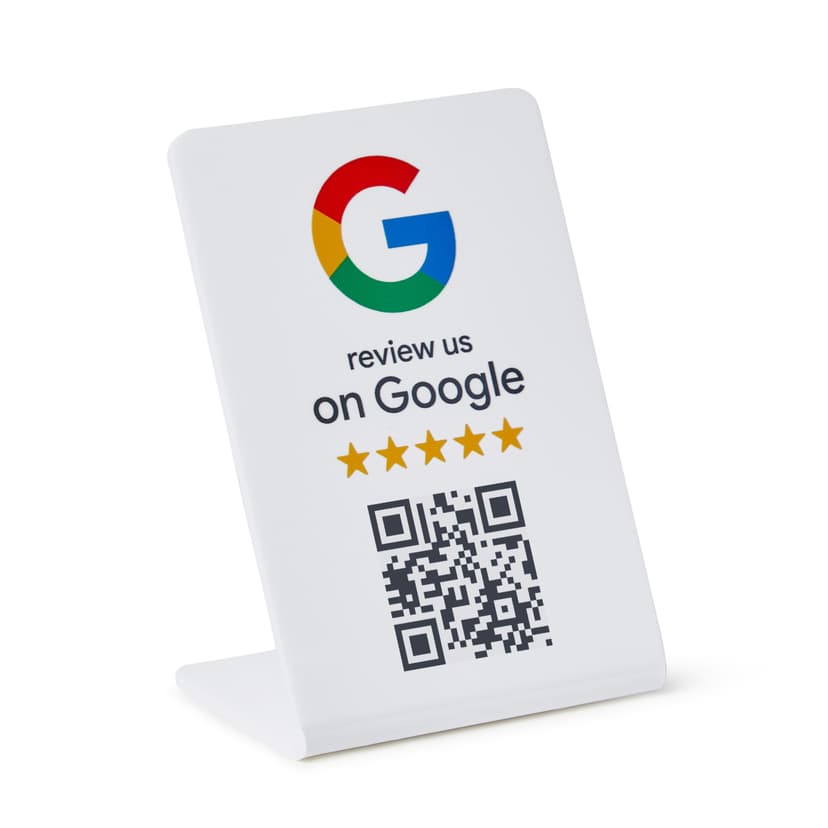
Place your review stand in the lobby or at the new accounts desk. Whether a customer just opened an account or received great service from a teller, the opportunity to review is right in front of them.
Compete with Online-Only Banks
Digital banks offer convenience but lack personal relationships. Reviews praising your staff by name, your community involvement, and in-person service remind customers why a local branch matters.
Drive New Account Openings
People moving to a new area search Google for a local bank. A well-reviewed branch profile with details about friendly service and competitive rates converts searchers into new account holders.
How It Works
Start collecting more reviews in under 60 seconds.
Place the QR Stand
Set up your ProsperQR stand in the lobby near the new accounts desk or on the service counter. It takes less than a minute.
Customers Scan or Tap
Customers scan the QR code or tap with NFC to go directly to your Google review page.
Reviews Come In
Watch your Google rating climb as happy customers leave 5-star reviews on the spot.
Why ProsperQR Works Better
Compare ProsperQR to other ways of collecting Google reviews.
| ProsperQR | Ask verbally | Follow-up emails | Review cards | |
|---|---|---|---|---|
| Asks at peak satisfaction | ||||
| No staff effort required | ||||
| Links directly to Google | ||||
| Works for every customer | ||||
| Collects reviews 24/7 |
Frequently Asked Questions
How does ProsperQR work for banks?
Place a ProsperQR stand in the lobby near the new accounts desk or on the service counter. When customers scan the QR code or tap with NFC, they're taken directly to your Google review page. No app downloads, no accounts to create — they leave a review in under 30 seconds.
Where should I place the ProsperQR stand in my bank?
The best placement is in the lobby near the new accounts desk or on the service counter — right where customers are most satisfied with your service. You want to catch them at their happiest moment so the review reflects their best experience.
How many more reviews can my bank expect?
Results vary, but businesses using ProsperQR typically see a significant increase in their Google reviews within the first month. The key is that you're asking at the right moment — in person, when the customer is happy. Customers are 87% more likely to leave a review when asked in person.
How long does setup take?
Less than 60 seconds. Just connect your Google Business Profile, and your ProsperQR stand is ready to go. No technical knowledge required — if you can scan a QR code, you can set it up.
Does ProsperQR work with Google Business Profile?
Yes. ProsperQR connects directly to your Google Business Profile. Every review collected goes straight to your Google listing, boosting your rating and your rank on Google.
What if a customer wants to leave a negative review?
ProsperQR links directly to Google — all reviews are authentic. However, asking in person at the point of satisfaction means happy customers are far more likely to leave a review. Plus, ProsperQR includes review monitoring and AI-written auto-replies to help you respond to every review professionally.

Start collecting reviews in less than 60 seconds
Get real results fast. More reviews, more customers, more sales.
Get Started